Businesses are constantly looking for practical ways to connect physical spaces with digital experiences. From retail stores and restaurants to hotels, clinics, exhibitions, and corporate offices, custom business displays can do much more than showcase a brand. They can help customers access information, explore products, connect with businesses, and interact with services using their smartphones.
Two technologies making these interactions easier are Near Field Communication (NFC) and QR codes. NFC allows users to access digital content with a compatible smartphone tap, while QR codes let users scan a printed code using their phone’s camera.
Rather than choosing one technology over the other, businesses can combine both in custom acrylic displays, tabletop stands, promotional signage, review stands, and branded business products.
For businesses in Qatar, this combination offers a practical way to create modern, interactive displays while giving customers more than one way to connect.
In this guide, we explain how NFC and QR technology work together, where businesses can use them, and how to plan an effective custom display.
What Are NFC and QR Technologies?
Before combining these technologies in a custom display, it helps to understand how each one works.
What Is NFC Technology?
NFC stands for Near Field Communication. It enables compatible devices to exchange information over a very short distance.
In a business display, an NFC chip can be programmed to open a digital destination, such as:
- A business website
- A digital business card
- A Google review page
- A digital restaurant menu
- A product information page
- A booking or appointment page
- A social media profile
For example, a customer visiting a retail store can tap their smartphone against an NFC-enabled display to open a product page without manually typing a website address.
Learn more about NFC technology and how NFC cards work.
What Is QR Code Technology?
A QR code is a two-dimensional barcode that a smartphone camera can scan to access digital information. Businesses commonly use QR codes to connect physical materials with online pages.
A QR code on a custom display can direct customers to a website, digital menu, product catalogue, contact page, review page, or promotional landing page.
QR codes are especially useful because customers can scan them with many modern smartphones without needing an NFC-enabled interaction.
Businesses can explore ETAP’s QR Code and UV Printing solutions for customised printed products and branded displays.
NFC vs. QR Codes: What Is the Difference?
Both technologies can connect customers to digital content, but the interaction method is different.
| Feature | NFC Technology | QR Code Technology |
|---|---|---|
| How it works | Tap a compatible smartphone near the NFC area | Scan the code with a smartphone camera |
| Visible code required | Not necessarily | Yes |
| Customer interaction | Tap to open a link | Scan to open a link |
| Device compatibility | Requires a compatible NFC-capable device and suitable settings | Works with most smartphones that can scan QR codes |
| Display design | NFC chip can be integrated into a branded product | QR code can be printed directly on the display |
| Best suited for | Quick, convenient tap-based interactions | Visible, accessible scanning |
| Internet access | Usually needed to load online content | Usually needed to load online content |
| Customisation | Chip placement and display design can be customised | Code size, placement, and surrounding design can be customised |
The main advantage of combining NFC and QR codes is flexibility. Customers can tap when their device supports the interaction or scan the QR code when that is more convenient.
Neither method automatically guarantees that a customer will complete an action. The linked page should be relevant, easy to use, and mobile-friendly.
How NFC and QR Technology Work Together in Custom Business Displays
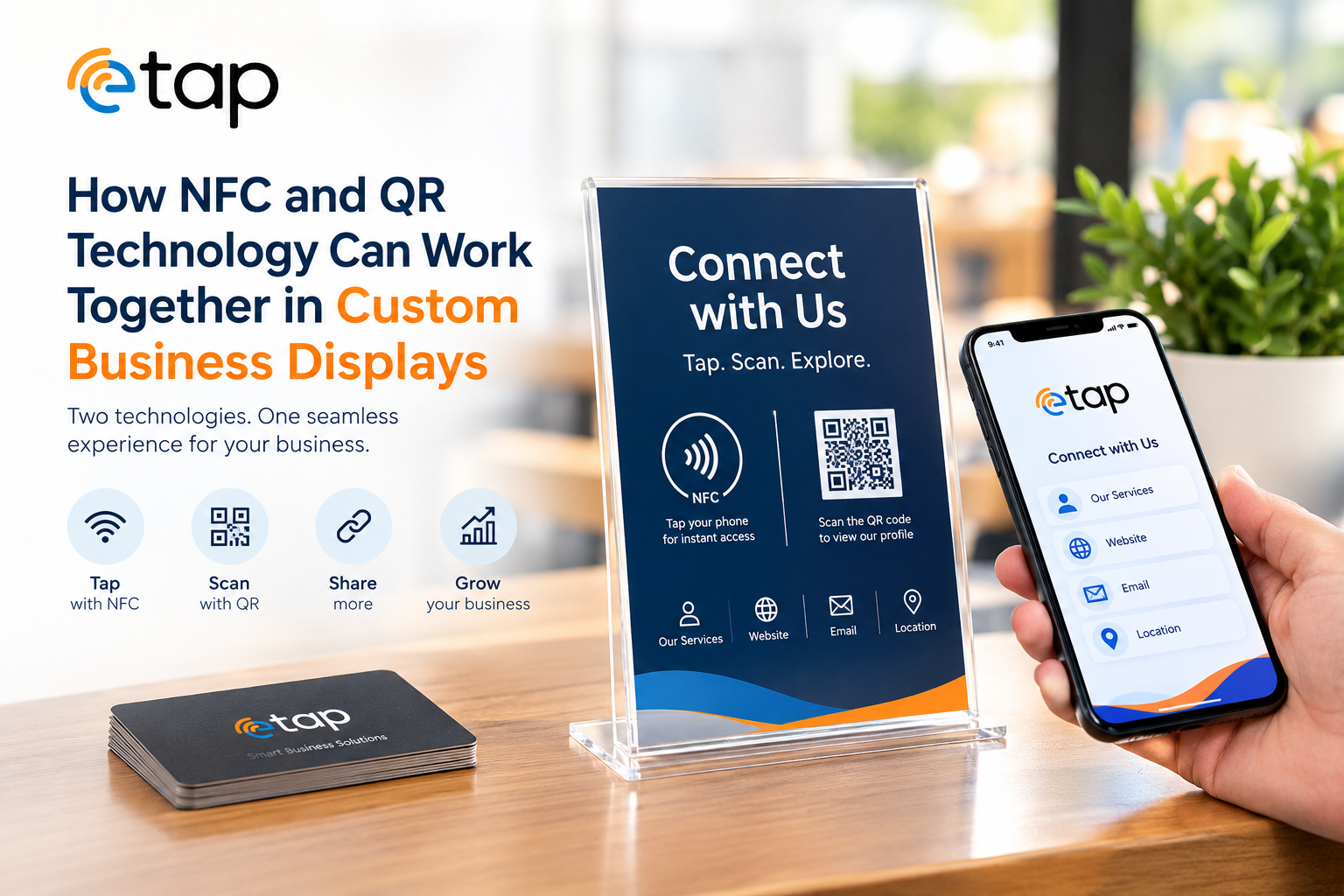
A custom business display can include an NFC chip and a printed QR code that lead to the same digital destination. Alternatively, each method can direct users to a different page, depending on the business’s goals.
For example, a restaurant display might use NFC to open a digital menu and a QR code to open the same menu as an alternative. A retail display could connect customers to product details, while a separate QR code leads to installation instructions or a product catalogue.
Here is how a combined display typically works:
- Choose the digital destination: Decide which webpage, menu, profile, review page, or other resource customers should access.
- Configure the NFC chip: Program the chip with the appropriate web link.
- Generate a QR code: Create a scannable code that directs customers to the selected page.
- Design the physical display: Integrate the NFC area and QR code into a suitable acrylic stand, sign, card, or branded product.
- Add clear instructions: Use simple wording such as “Tap or Scan to Explore.”
- Test both methods: Check that the NFC chip and QR code open the intended destination on compatible devices.
- Maintain the digital content: Keep the linked page accurate and accessible.
This approach combines a simple physical interaction with a practical digital alternative.
Benefits of Combining NFC and QR Codes in Custom Displays
1. Give Customers Two Ways to Connect
Customers have different devices and preferences. Some may be comfortable tapping their phone against a display, while others may prefer scanning a QR code.
Including both options helps businesses accommodate different interaction habits without requiring separate displays.
This is useful in customer-facing environments such as restaurants, retail shops, hotels, exhibitions, and reception areas.
2. Create a Modern Brand Experience
A professionally designed display can make a business look organised and help communicate its brand identity.
Custom acrylic stands, branded signage, NFC-enabled products, and printed QR codes can bring physical branding and digital engagement together in one place.
Businesses can use colours, logos, typography, and clear instructions to create displays that complement their existing interiors and marketing materials.
Explore ETAP’s custom-shaped acrylic products for ideas for branded display applications.
3. Make Digital Information Easier to Access
Customers may want more information than a physical display can comfortably hold. A small tabletop sign, for example, has limited space for product descriptions, service details, menus, and contact information.
NFC and QR technology can connect that physical sign to a digital page containing more detailed information.
Depending on the destination, customers can explore product specifications, browse menus, view service options, save contact details, or make enquiries.
4. Keep the Physical Display and Digital Content Connected
A display can remain in place while the linked webpage is updated, provided the NFC chip and QR code point to a stable URL that the business controls.
This can be useful when a business changes its product information, menu prices, opening hours, service descriptions, or promotional content.
For best results, use a stable landing page that the business can maintain rather than linking to a temporary page that may later become unavailable.
5. Support Different Business Objectives
The same combination of technologies can serve different purposes depending on the page linked to the display.
A restaurant may use it to share a menu. A retailer may use it for product information. A hotel may use it to provide guest information, and a business attending an exhibition may use it to share a digital company profile.
The physical display becomes a convenient entry point to the relevant online experience.
6. Make Displays More Versatile
Combining NFC and QR codes does not limit a display to one industry or one type of interaction. Businesses can adapt the design and digital destination to suit their audience.
For example, a display can focus on customer reviews today and be redesigned for product information or service enquiries in a future campaign. If the existing chip and QR code link to a stable, editable destination, changing the destination content may not require replacing the physical display.
Practical Applications of NFC and QR Business Displays
1. Restaurants and Cafés
Restaurants can place NFC and QR-enabled displays on tables, counters, or reception desks.
Customers can tap or scan to access:
- Digital food and drink menus
- Menu descriptions and food photographs
- Available language options
- Restaurant websites
- Reservation or enquiry pages
A combined display gives customers an alternative to requesting a printed menu or manually searching for the restaurant online.
Explore ETAP’s guide to the digital menu NFC stand with QR code in Qatar.
2. Google Review Displays
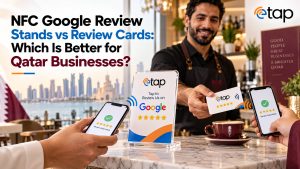
Customer review displays can provide a convenient way for visitors to reach a business’s Google review page.
A customer can tap the NFC area or scan the QR code to open the review page, then decide whether to leave honest feedback based on their experience.
These displays can be useful at checkout counters, hotel receptions, cafés, salons, and service desks.
Businesses should ask customers for genuine, unbiased reviews and avoid incentives, review gating, or pressure to leave positive feedback.
Learn more about ETAP’s NFC Google Review Card and how NFC review products can support customer engagement.
3. Retail Stores and Product Displays
Retailers can integrate NFC and QR codes into product stands, shelf displays, promotional signs, and acrylic product holders.
Customers can access product specifications, usage instructions, warranty information, catalogues, or demonstrations without searching for the product online.
For example, a display in an electronics store could link to a product page containing technical details, while a homeware retailer could provide care instructions and styling ideas.
4. Hotels and Hospitality Businesses
Hotels can use interactive displays in reception areas, guest lounges, restaurants, and other appropriate locations.
A tap or scan could open information about hotel facilities, restaurant menus, booking enquiries, local attractions, or guest services.
The digital page should be kept current and should not collect unnecessary personal information.
5. Exhibitions, Trade Shows, and Corporate Events
Exhibitions are busy environments where businesses need to communicate information quickly.
Custom NFC and QR displays can help visitors access company profiles, service pages, digital brochures, product catalogues, and enquiry forms.
They can also provide a simple way for sales representatives to share relevant information without distributing large quantities of printed material.
6. Offices and Reception Areas
Businesses can place interactive displays at reception desks, meeting rooms, or service counters.
Depending on the intended use, visitors could access company information, appointment pages, contact details, department directories, or visitor instructions.
A custom display can keep these links visible while maintaining a consistent professional appearance.
Choosing the Right Custom Display Material
The display material affects appearance, durability, placement, and how the NFC chip and QR code are incorporated into the product.
| Display type | Potential application | Key consideration |
|---|---|---|
| Acrylic tabletop stand | Menus, reviews, product information | Ensure the display is stable and easy to clean |
| Custom-shaped acrylic display | Branded retail and promotional displays | Match the shape and dimensions to the intended use |
| Printed QR signage | Counters, walls, reception areas | Keep the code large enough and easy to scan |
| NFC-enabled card or tag | Contact sharing and quick digital access | Place the NFC area clearly and test compatibility |
| Countertop promotional display | Offers, campaigns, and enquiries | Use a clear call to action and a relevant destination |
The best choice depends on where the display will be used, how customers will interact with it, and the type of digital content it needs to open.
When incorporating NFC into a custom product, the chip’s placement and the material construction should be tested to ensure reliable performance. Metal surfaces, in particular, can affect NFC performance unless the product is designed with an appropriate solution.
Best Practices for Designing NFC and QR Displays
A successful interactive display needs more than a chip and a QR code. Its design should make the next step obvious to customers.
Use a Clear Call to Action
Tell customers exactly what they can do. Examples include:
- “Tap or Scan to View Our Menu”
- “Tap or Scan to Leave a Review”
- “Scan for Product Details”
- “Tap to Connect With Our Team”
- “Scan to Explore Our Services”
Make the QR Code Easy to Scan
Use a sufficiently large, high-contrast QR code with clear space around it. Avoid placing it over complex images or backgrounds that reduce readability.
Always test the printed code at the actual size and viewing distance.
Indicate Where to Tap
Mark the NFC interaction area with a simple icon or instruction. Customers should not have to guess where to position their phone.
Use a Mobile-Friendly Destination
The linked page should load properly on mobile devices, display readable text, and make the intended action easy to complete.
Keep Links Secure and Updated
Use trusted website links and review the destination periodically. If a business changes its website structure, test whether existing displays still work correctly.
Test Before Production
Test NFC and QR interactions on multiple compatible smartphones. Check that the display opens the correct page, that the QR code scans reliably, and that the physical product is suitable for its intended environment.
Keep the Design Uncluttered
A display should communicate the brand, the action, and the destination without overwhelming customers with too much text.
A clean layout usually makes the interaction easier to understand.
Why Consider ETAP for Custom Business Displays in Qatar?
Businesses looking for ways to combine physical branding with digital engagement can explore ETAP’s range of NFC, QR, and customised display solutions.
ETAP offers products and solutions that include NFC cards, Google review products, NFC menu stands, QR code and UV printing, and custom-shaped acrylic products.
These product categories can support different business needs, from sharing digital information to creating branded tabletop displays.
Relevant ETAP resources include:
- Custom-Shaped Acrylic Products
- QR Code and UV Printing
- NFC Google Review Card
- Digital Menu NFC Stand with QR Code
Before selecting a product, confirm the available customisation options, dimensions, NFC functionality, QR code placement, and compatibility with your intended digital destination.
For enquiries about suitable solutions, visit the ETAP website.
Conclusion
NFC and QR technology can work together to make custom business displays more useful, interactive, and adaptable. NFC provides a convenient tap-based interaction, while QR codes offer a visible scanning option for customers who prefer it.
When combined in a well-designed display, these technologies can help businesses share menus, product details, customer review pages, contact information, and service links through a single physical touchpoint.
For businesses in Qatar, the key is to select the right display material, make both interaction methods easy to understand, and connect them to accurate, mobile-friendly content.
By bringing NFC, QR codes, and thoughtful custom design together, businesses can create displays that do more than represent their brand: they can help customers take the next step.
Frequently Asked Questions
1. Can NFC and QR codes be used on the same business display?
Yes. A custom display can include an NFC chip and a printed QR code. Both can lead to the same webpage or to different destinations, depending on the business’s requirements.
2. Is NFC better than a QR code for business displays?
Neither is universally better. NFC offers a tap-based interaction, while QR codes provide a visible option that can be scanned using a smartphone camera. Combining both gives customers more flexibility.
3. Which businesses can benefit from NFC and QR displays?
Restaurants, cafés, retail stores, hotels, offices, clinics, exhibitions, and many other customer-facing businesses can use them to share digital menus, product information, reviews, contact details, and service pages.
4. Can the digital content be changed without replacing the display?
Often, yes. If the NFC chip and QR code point to a stable URL that the business controls, the content on that webpage can be updated without changing the physical display. If the destination URL itself changes, the chip or QR code may need to be reconfigured or replaced.
5. Do customers need a special app to use NFC or QR displays?
A dedicated app is generally unnecessary when the display opens a standard webpage. Customers need a compatible NFC-capable device for tapping or a camera capable of scanning QR codes. Internet access is usually required to load online content.
6. Can NFC and QR technology be integrated into acrylic displays?
Yes, depending on the product design. Acrylic stands can be designed to accommodate printed QR codes and NFC components. The placement and construction should be tested to confirm that both interactions work reliably.
7. What should businesses consider before ordering custom NFC and QR displays?
Consider the display’s purpose, size, material, branding, placement, digital destination, NFC compatibility, QR code readability, and how the linked content will be maintained.