Businesses today need reliable ways to manage access, identify employees, record attendance, and control entry to their facilities. From corporate offices and hotels to schools, hospitals, gyms, and residential buildings, smart card technology helps make everyday operations more convenient.
One widely used technology in contactless smart cards is MIFARE. These cards can be integrated with compatible readers and systems to support applications such as access control, staff identification, attendance management, membership programs, and other contactless services.
For organisations looking for MIFARE cards in Qatar, understanding the available card types, their applications, and system compatibility is essential before choosing a solution.
In this guide, we explain what MIFARE cards are, how they work, the major types, their business benefits, and how to select the right card for your organisation.
What Are MIFARE Cards?
MIFARE cards are contactless smart cards that use radio-frequency technology to communicate with compatible readers. The MIFARE product family operates in the high-frequency contactless card space, commonly at 13.56 MHz.
Depending on the specific chip and system configuration, a MIFARE card may support identification, access permissions, data storage, or other functions required by an organisation.
Unlike a traditional printed identification card, a smart card can contain an electronic chip that communicates with a compatible reader. The system then processes the card’s information according to the software, security configuration, and permissions configured by the organisation.
For example, an employee may use a compatible MIFARE card to enter an office. The access control system checks the credential and determines whether access should be granted.
Businesses interested in this technology can explore ETAP’s MIFARE Card solution in Qatar, which offers a contactless card option for compatible access control and identification applications.
How Do MIFARE Cards Work?
A typical MIFARE card contains a microchip and an antenna embedded within its physical structure. When the card is brought close to a compatible reader, the reader’s electromagnetic field enables contactless communication.
The system generally works through the following steps:
- Card presentation: The user taps or holds the card near the reader.
- Contactless communication: The reader communicates with the chip using a supported protocol.
- Credential verification: The system checks the required card data, authentication, and access permissions.
- System response: The connected system performs the configured action, such as unlocking a door or recording an attendance event.
The exact process depends on the card chip, reader, software, and security configuration. Not every MIFARE card works with every reader, so compatibility should always be confirmed before ordering cards.
Types of MIFARE Cards
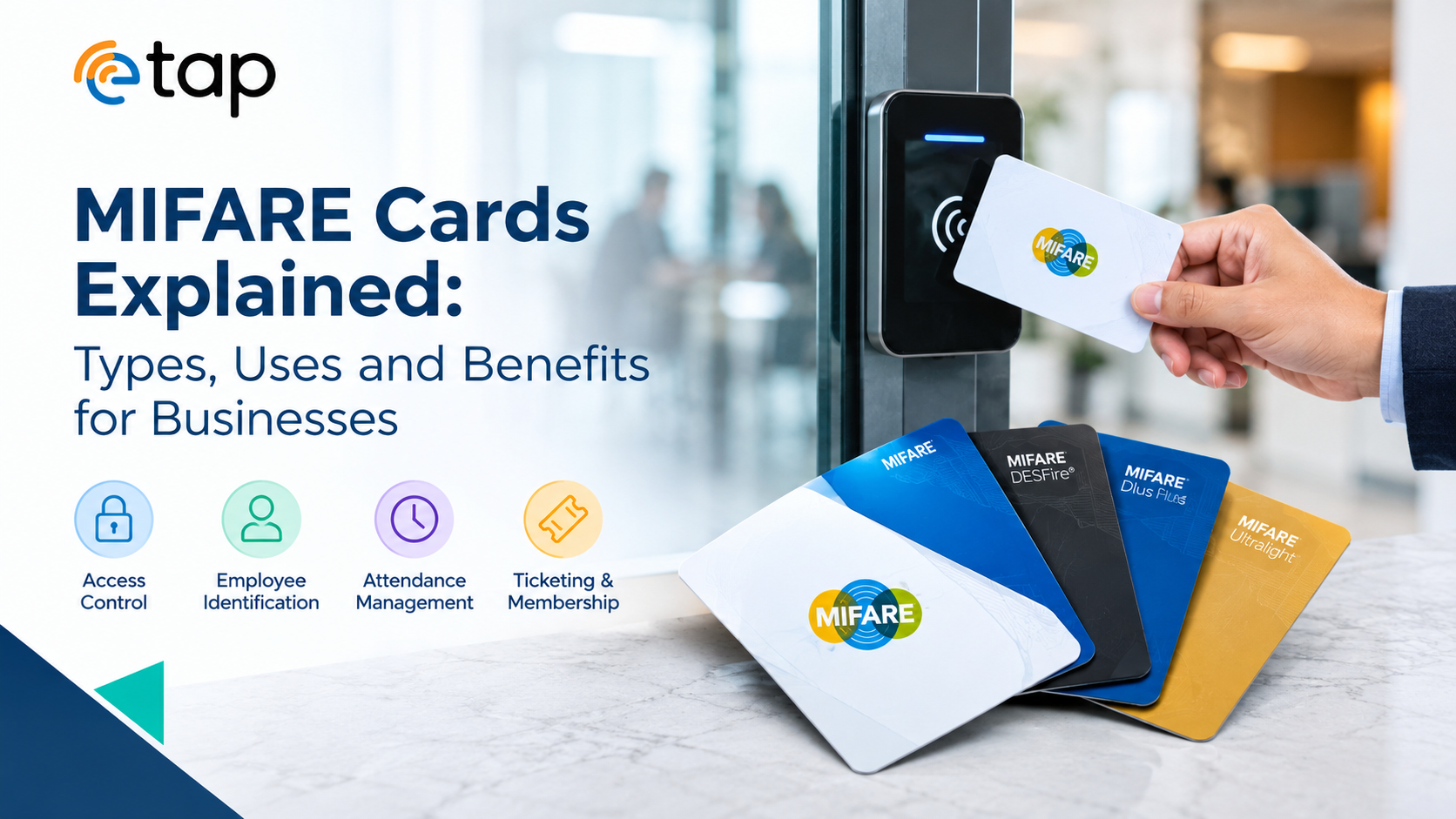
MIFARE is a family of technologies rather than one single card type. Different product families are designed for different requirements, including basic applications, limited-use tickets, and more advanced secure systems.
1. MIFARE Classic
MIFARE Classic is an established contactless smart card family used in various legacy installations and applications.
Depending on the particular system, it may be found in access control, transport ticketing, and other identification-related applications.
Businesses considering MIFARE Classic cards should check the security capabilities of the specific chip and the requirements of the existing installation. Some older card technologies may not be appropriate for new deployments with more demanding security needs.
Best suited for: Compatible legacy systems and applications where the existing infrastructure specifically supports the selected Classic card type.
2. MIFARE DESFire
MIFARE DESFire is a smart card family designed for applications requiring more advanced security features and flexible data management.
Depending on the version, DESFire products support cryptographic authentication, protected communication, and multiple applications on one card. These capabilities can be useful in systems that need to manage different services or credentials securely.
For example, an organisation may want one card to support several approved functions, such as building access and a separate staff service. Whether this is possible depends on the card configuration and the infrastructure supporting each application.
Best suited for: Newer systems with stronger security requirements, multi-application use cases, or more advanced access management needs.
3. MIFARE Ultralight
MIFARE Ultralight is a family of contactless chips often associated with limited-use applications, including tickets, passes, and certain event or loyalty programs.
The available memory and features depend on the particular chip. Ultralight products should not automatically be treated as equivalent to higher-security access credentials.
Best suited for: Supported ticketing systems, event passes, day-use credentials, and selected applications where the features of the chosen chip meet the requirements.
4. MIFARE Plus
MIFARE Plus is another family within the MIFARE range that supports migration and security options for compatible systems. Its exact capabilities depend on the chip version and how the system has been implemented.
Businesses considering MIFARE Plus should verify the supported security mode, reader compatibility, and migration requirements with their access control system provider.
Best suited for: Suitable installations that require MIFARE Plus functionality or a planned transition from an existing compatible card system.
Important: Card families and versions have different technical capabilities. The appropriate choice should be based on the actual system requirements, not just the MIFARE name printed in a product description.
Common Uses of MIFARE Cards in Qatar
MIFARE cards can support a wide range of business and organisational applications when paired with compatible infrastructure.
Office Access Control
Businesses can issue contactless cards to authorised employees and other approved users. The access control system can grant or deny entry according to configured permissions.
This can help organisations manage entry to offices, floors, departments, and restricted areas.
Employee Identification
A printed card can display an employee’s photograph, name, designation, department, company logo, and other approved identification details. If the card also contains a compatible MIFARE chip, it may support electronic access or other integrated functions.
Explore ETAP Employee ID Cards in Qatar for staff identification requirements.
Attendance Management
When integrated with a compatible attendance system, smart cards can help record employee check-in and check-out events.
Organisations should confirm that their cards, readers, and attendance software are compatible and that the system meets their operational requirements.
Hotels and Hospitality
Hotels and hospitality businesses can use supported contactless cards for room access, staff credentials, or other property-specific applications.
The card must be configured for the hotel’s particular lock or management system. A generic MIFARE card cannot be assumed to work with every hotel locking system.
Schools and Universities
Educational institutions may use compatible smart cards for staff or student identification, access to approved areas, and selected campus services.
The precise functions available depend on the institution’s software and card infrastructure.
Residential Buildings and Facilities
Apartment complexes, residential developments, and commercial buildings may use supported smart card systems to manage access to entrances or shared facilities.
Appropriate card issuance, access permissions, and lost-card procedures are important parts of the overall setup.
Membership Programs
Some membership or loyalty systems can use compatible contactless smart cards to identify registered members or support specific transactions. Businesses need to confirm that the selected chip and reader system support the intended application.
Key Benefits of MIFARE Cards for Businesses
1. Contactless Convenience
Users can present a card near a compatible reader instead of inserting a card or manually entering credentials. This makes the interaction simple and convenient.
2. Efficient Access Management
When connected to a suitable access control platform, cards can be assigned different permissions. Administrators may be able to update or revoke credentials through the system without recovering every physical card.
The availability of these functions depends on the access control software and its configuration.
3. Customised Professional Design
Smart cards can be printed with company branding and approved identification details. Organisations can maintain a consistent visual identity across employees, departments, and locations.
Depending on the product and system, cards may support printing such as photographs, names, logos, QR codes, barcodes, and serial numbers.
4. Integration with Existing Systems
Choosing a card designed for a compatible system can allow an organisation to use its existing reader infrastructure. However, compatibility should be verified with the system supplier before bulk production or deployment.
5. Multiple Potential Applications
Depending on the card family and system, smart cards may support applications such as access control, attendance, identification, ticketing, and membership management.
Businesses should distinguish between functions supported by the chip itself and functions provided by the connected software.
6. Improved Credential Administration
Many modern access systems let administrators manage user permissions centrally. Lost or misplaced cards can potentially be deactivated through the system, provided the installation supports that functionality.
Card security still depends on appropriate chip selection, system configuration, credential management, and operational procedures.
MIFARE Cards vs Standard RFID Cards
MIFARE and RFID are related terms, but they do not mean the same thing.
RFID stands for Radio Frequency Identification, an umbrella term for technologies that use radio waves to identify or communicate with tags and cards. MIFARE is a specific family of contactless smart card products.
| Feature | MIFARE Cards | Other RFID Cards |
|---|---|---|
| Technology | A specific contactless smart card family | Broad range of radio-frequency technologies |
| Operating frequency | Commonly 13.56 MHz | Varies by card or tag type |
| Typical applications | Supported access, smart card and ticketing systems | Access control, identification, tracking, and inventory, among others |
| Security | Depends on the card family, chip version, and configuration | Depends on the particular technology and system |
| Compatibility | Requires compatible MIFARE-capable infrastructure | Depends on the RFID frequency, protocol, and reader |
The right choice is not determined by the product label alone. A business should identify its current reader technology, application requirements, and security needs before selecting a card.
For a broader explanation, read ETAP’s Complete Guide to Premium RFID and NFC Cards in Qatar.
How to Choose the Right MIFARE Card for Your Business
Before purchasing MIFARE cards in Qatar, evaluate the following factors.
1. Check Reader Compatibility
This is one of the most important steps. Confirm the supported card family, chip version, frequency, protocol, and any required authentication features with your system provider.
2. Identify Your Application
A card used for a simple legacy access installation may have different requirements from one intended for a new, security-sensitive multi-application system.
Define whether you need employee access, attendance, membership identification, ticketing, or another function.
3. Review Security Requirements
Consider the value of the areas, services, or information being protected. Select a card and system that meet the required security level, and avoid assuming that all contactless cards provide equivalent protection.
4. Consider Custom Printing
For employee, student, or membership cards, check whether the design requires a photo, employee number, company logo, barcode, QR code, or other approved details.
5. Plan for Lost and Replacement Cards
Ask whether the connected software can deactivate lost credentials, assign replacement cards, and maintain access records where required.
6. Confirm Quantity and Delivery Requirements
For team-wide or multi-site deployments, confirm the required quantity, personalisation details, card programming needs, lead time, and delivery arrangements before placing an order.
MIFARE Cards in Qatar from ETAP
ETAP offers MIFARE cards for businesses and organisations seeking contactless smart card options in Qatar. The product page describes PVC cards that can be customised for identification and compatible access control applications.
Businesses can visit the ETAP MIFARE Card product page to review the product and enquire about their requirements.
Before ordering, share the details of your current reader or access control system, the intended application, and any required printing or personalisation. This helps establish whether the proposed card is suitable for your installation.
If you are comparing several card technologies, ETAP’s guide to contactless card solutions for Qatar businesses provides additional context about different contactless products and their applications.
Conclusion
MIFARE cards are used in many contactless smart card applications, from access management and identification to supported ticketing and membership systems. The available features vary across MIFARE families, making it important to select a card that matches both the intended application and the infrastructure already in place.
For businesses researching MIFARE cards in Qatar, the best starting point is to identify the system requirements, confirm reader compatibility, understand the security needs, and decide whether custom printing or additional credential functions are required.
By choosing a suitable card and maintaining good credential management practices, organisations can create a more convenient and organised approach to access and identification.
Explore ETAP’s MIFARE Cards in Qatar to learn more about the available products and discuss your business requirements.
Frequently Asked Questions
What are MIFARE cards used for?
MIFARE cards are used in compatible contactless systems for applications such as access control, ticketing, identification, membership programs, and other smart card services.
Do MIFARE cards work with all RFID readers?
No. Compatibility depends on the reader’s frequency, supported protocols, card family, and system configuration. Always confirm compatibility before ordering.
Which MIFARE card type is best for access control?
The appropriate type depends on the access system, security requirements, and compatibility needs. MIFARE Classic, DESFire, Plus, and Ultralight have different capabilities and are not interchangeable in every application.
Can MIFARE cards be customised with a company logo?
Custom printing may be available for suitable card products. Depending on the design requirements, printed details can include company branding, photographs, names, barcodes, QR codes, or serial numbers.
Where can I buy MIFARE cards in Qatar?
Businesses can explore the ETAP MIFARE Card product page for product information and ordering enquiries.